About
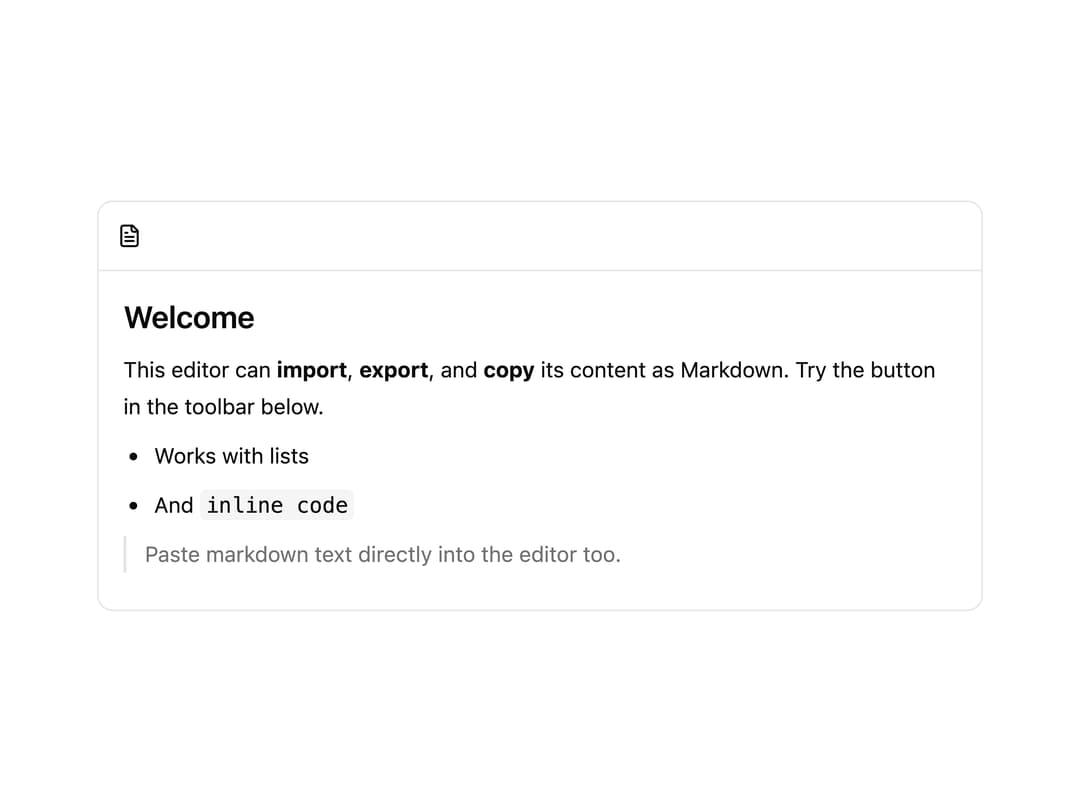
A toolbar button for a Tiptap rich text editor that imports, exports, and copies the document's content as Markdown.
Built with React and Tailwind. Copy the prompt and paste it into Claude Code, Cursor or Lovable: your agent adds Markdown Toolbar to your project and fits it to your theme.
Code
How Markdown Toolbar is used: the demo's code. The component's own source comes with a free account.
Usage.tsx
"use client";

import MarkdownToolbar from "@/components/ui/markdown";
import { Markdown } from "@/components/ui/markdown-utils/markdown-core";
import { EditorContent, useEditor } from "@tiptap/react";
import { StarterKit } from "@tiptap/starter-kit";

export default function MarkdownDemo() {
  const editor = useEditor({
    immediatelyRender: false,
    extensions: [StarterKit, Markdown.configure({ pasteMarkdown: true })],
    content:
      "# Welcome\n\nThis editor can **import**, **export**, and **copy** its content as Markdown. Try the button in the toolbar below.\n\n- Works with lists\n- And `inline code`\n\n> Paste markdown text directly into the editor too.",
    contentType: "markdown",
  });

  return (
    <div className="w-full max-w-xl rounded-lg border border-border bg-background text-foreground">
      <div className="flex items-center gap-1 border-b border-border p-1.5">
        <MarkdownToolbar editor={editor} filename="document.md" />
      </div>
      <EditorContent
        editor={editor}
        className="p-4 text-sm leading-6 [&_.ProseMirror]:outline-none [&_.ProseMirror]:min-h-[140px] [&_h1]:text-xl [&_h1]:font-semibold [&_h1]:mb-2 [&_ul]:list-disc [&_ul]:pl-5 [&_blockquote]:border-l-2 [&_blockquote]:border-border [&_blockquote]:pl-3 [&_blockquote]:text-muted-foreground [&_code]:bg-muted [&_code]:px-1 [&_code]:py-0.5 [&_code]:rounded [&_p]:mb-2"
      />
    </div>
  );
}
Dependencies
More by shadcn-labs
View all

Email Progress Bar
4
PDF Stack
Rich Text Editor

Coupons With Centered Text
Stripe Receipt Email
Masonry Product Detail
Post Card

Post List
More in Text
View all
Motion Blur Text
45

Rainbow Text Effect
58

Short Slide Down
45
Blur Reveal
72

Text Reveal
29
Apple Hello Effect
659
Text Highlight
96

Scroll Fill Headline
13

