
About
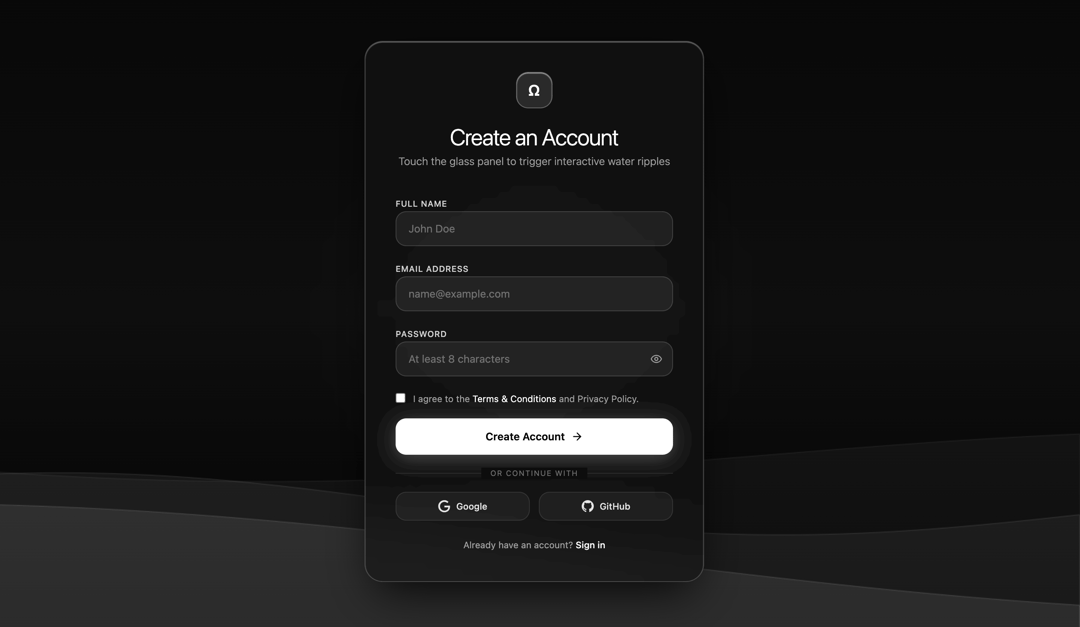
Water effect panel liquid glass for sign up
Built with React and Tailwind. Copy the prompt and paste it into Claude Code, Cursor or Lovable: your agent adds Sign In Water Effect Glass to your project and fits it to your theme.
Code
How Sign In Water Effect Glass is used: the demo's code. The component's own source comes with a free account.
Usage.tsx
import React, { useState, useEffect, useRef } from "react";
import { Eye, EyeOff, Check, ArrowRight } from "lucide-react";

/**
 * LiquidGlassSignUp Component
 * - Professional Designer Edition
 * - Pure Black & White Luxury Minimalist aesthetic with English UI copy
 * - Physics-based SVG water wobble / displacement on touch & drag
 * - Specular concentric water ripple canvas simulation
 * - Fluid grayscale ambient background wave animation
 */
export const LiquidGlassSignUp: React.FC = () => {
  // Form States
  const [fullName, setFullName] = useState("");
  const [email, setEmail] = useState("");
  const [password, setPassword] = useState("");
  const [agreeTerms, setAgreeTerms] = useState(false);
  const [showPassword, setShowPassword] = useState(false);
  const [isSubmitting, setIsSubmitting] = useState(false);
  const [submitted, setSubmitted] = useState(false);

  // Password strength calculation
  const getPasswordStrength = (pass: string) => {
    let score = 0;
    if (pass.length >= 8) score++;
    if (/[A-Z]/.test(pass)) score++;
    if (/[0-9]/.test(pass)) score++;
    if (/[^A-Za-z0-9]/.test(pass)) score++;
    return score; // 0 to 4
  };

  const strength = getPasswordStrength(password);
  const strengthLabels = ["Very Weak", "Weak", "Fair", "Strong", "Very Strong"];

  // Canvas Refs
  const bgCanvasRef = useRef<HTMLCanvasElement | null>(null);
  const rippleCanvasRef = useRef<HTMLCanvasElement | null>(null);
  const panelRef = useRef<HTMLDivElement | null>(null);

  // SVG Filter Ripple Physics State
  const turbulenceRef = useRef<SVGFETurbulenceElement | null>(null);
  const displacementRef = useRef<SVGFEDisplacementMapElement | null>(null);
  const waveState = useRef({
    intensity: 0,
    targetIntensity: 0,
    frequency: 0.015,
    isDamping: true,
  });

  // Background Ambient Wave Animation
  useEffect(() => {
    const canvas = bgCanvasRef.current;
    if (!canvas) return;
    const ctx = canvas.getContext("2d");
    if (!ctx) return;

    let animId: number;
    let step = 0;

    const resize = () => {
      if (typeof window !== "undefined") {
        canvas.width = window.innerWidth;
        canvas.height = window.innerHeight;
      }
    };
    resize();
    window.addEventListener("resize", resize);

    const render = () => {
      ctx.clearRect(0, 0, canvas.width, canvas.height);

      const bgGrad = ctx.createLinearGradient(0, 0, 0, canvas.height);
      bgGrad.addColorStop(0, "#080808");
      bgGrad.addColorStop(0.5, "#0e0e0e");
      bgGrad.addColorStop(1, "#040404");
      ctx.fillStyle = bgGrad;
      ctx.fillRect(0, 0, canvas.width, canvas.height);

      const waves = [
        { yOffset: 0.72, length: 0.0022, amp: 45, speed: 0.015, fill: "rgba(255, 255, 255, 0.035)" },
        { yOffset: 0.80, length: 0.0035, amp: 35, speed: 0.022, fill: "rgba(255, 255, 255, 0.05)" },
        { yOffset: 0.88, length: 0.0018, amp: 55, speed: 0.010, fill: "rgba(255, 255, 255, 0.08)" },
      ];

      waves.forEach((w, idx) => {
        ctx.beginPath();
        ctx.moveTo(0, canvas.height);
        const baseline = canvas.height * w.yOffset;

        for (let x = 0; x <= canvas.width; x += 6) {
          const y =
            baseline +
            Math.sin(x * w.length + step * w.speed) * w.amp +
            Math.cos(x * 0.001 + step * 0.008) * (w.amp * 0.4);
          ctx.lineTo(x, y);
        }

        ctx.lineTo(canvas.width, canvas.height);
        ctx.closePath();
        ctx.fillStyle = w.fill;
        ctx.fill();

        ctx.lineWidth = 1;
        ctx.strokeStyle = `rgba(255, 255, 255, ${0.08 + idx * 0.04})`;
        ctx.stroke();
      });

      step += 1;
      animId = requestAnimationFrame(render);
    };

    render();

    return () => {
      cancelAnimationFrame(animId);
      window.removeEventListener("resize", resize);
    };
  }, []);

  // Specular Ripple Canvas & SVG Liquid Distortion Loop
  useEffect(() => {
    const canvas = rippleCanvasRef.current;
    const panel = panelRef.current;
    if (!canvas || !panel) return;
    const ctx = canvas.getContext("2d");
    if (!ctx) return;

    interface Ripple {
      x: number;
      y: number;
      radius: number;
      maxRadius: number;
      opacity: number;
      speed: number;
    }

    const activeRipples: Ripple[] = [];
    let rippleAnimId: number;

    const resizeRippleCanvas = () => {
      if (panel) {
        canvas.width = panel.clientWidth;
        canvas.height = panel.clientHeight;
      }
    };
    resizeRippleCanvas();
    window.addEventListener("resize", resizeRippleCanvas);

    const loop = () => {
      const ws = waveState.current;
      ws.intensity += (ws.targetIntensity - ws.intensity) * 0.12;

      if (ws.isDamping) {
        ws.targetIntensity *= 0.94;
        if (ws.targetIntensity < 0.05) ws.targetIntensity = 0;
      }

      if (displacementRef.current) {
        displacementRef.current.setAttribute("scale", ws.intensity.toFixed(2));
      }
      if (turbulenceRef.current) {
        turbulenceRef.current.setAttribute(
          "baseFrequency",
          `${ws.frequency} ${ws.frequency * 1.5}`
        );
      }

      ctx.clearRect(0, 0, canvas.width, canvas.height);

      for (let i = activeRipples.length - 1; i >= 0; i--) {
        const r = activeRipples[i];
        r.radius += r.speed;
        r.opacity *= 0.96;

        ctx.beginPath();
        ctx.arc(r.x, r.y, r.radius, 0, Math.PI * 2);
        ctx.strokeStyle = `rgba(255, 255, 255, ${r.opacity.toFixed(3)})`;
        ctx.lineWidth = 1.5;
        ctx.stroke();

        if (r.radius > 15) {
          ctx.beginPath();
          ctx.arc(r.x, r.y, r.radius * 0.65, 0, Math.PI * 2);
          ctx.strokeStyle = `rgba(255, 255, 255, ${(r.opacity * 0.45).toFixed(3)})`;
          ctx.lineWidth = 1;
          ctx.stroke();
        }

        if (r.opacity < 0.005 || r.radius > r.maxRadius) {
          activeRipples.splice(i, 1);
        }
      }

      rippleAnimId = requestAnimationFrame(loop);
    };

    loop();

    const triggerWaterDistortion = (x: number, y: number, isStrong = false) => {
      waveState.current.targetIntensity = isStrong ? 24 : 14;
      waveState.current.isDamping = true;

      activeRipples.push({
        x,
        y,
        radius: 4,
        maxRadius: Math.max(canvas.width, canvas.height) * 0.85,
        opacity: isStrong ? 0.6 : 0.35,
        speed: 3.5,
      });
    };

    const handlePointerDown = (e: MouseEvent | TouchEvent) => {
      const rect = panel.getBoundingClientRect();
      const clientX = "touches" in e ? e.touches[0].clientX : e.clientX;
      const clientY = "touches" in e ? e.touches[0].clientY : e.clientY;
      const x = clientX - rect.left;
      const y = clientY - rect.top;

      triggerWaterDistortion(x, y, true);
    };

    const handlePointerMove = (e: MouseEvent | TouchEvent) => {
      if ("buttons" in e && e.buttons !== 1) return;
      const rect = panel.getBoundingClientRect();
      const clientX = "touches" in e ? e.touches[0].clientX : e.clientX;
      const clientY = "touches" in e ? e.touches[0].clientY : e.clientY;
      const x = clientX - rect.left;
      const y = clientY - rect.top;

      if (Math.random() > 0.4) {
        triggerWaterDistortion(x, y, false);
      }
    };

    panel.addEventListener("mousedown", handlePointerDown);
    panel.addEventListener("mousemove", handlePointerMove);
    panel.addEventListener("touchstart", handlePointerDown, { passive: true });
    panel.addEventListener("touchmove", handlePointerMove, { passive: true });

    return () => {
      cancelAnimationFrame(rippleAnimId);
      window.removeEventListener("resize", resizeRippleCanvas);
      panel.removeEventListener("mousedown", handlePointerDown);
      panel.removeEventListener("mousemove", handlePointerMove);
      panel.removeEventListener("touchstart", handlePointerDown);
      panel.removeEventListener("touchmove", handlePointerMove);
    };
  }, []);

  const handleSubmit = (e: React.FormEvent) => {
    e.preventDefault();
    if (!fullName || !email || !password || !agreeTerms) return;

    setIsSubmitting(true);
    setTimeout(() => {
      setIsSubmitting(false);
      setSubmitted(true);
    }, 1200);
  };

  return (
    <div className="relative min-h-screen w-full flex items-center justify-center bg-[#070707] text-white font-sans overflow-hidden p-4 sm:p-6">
      {/* Background Animated Grayscale Waves */}
      <canvas
        ref={bgCanvasRef}
        className="absolute inset-0 w-full h-full pointer-events-none z-0"
      />

      {/* SVG Liquid Distortion Filter Definition */}
      <svg
        className="absolute -top-[9999px] -left-[9999px] w-0 h-0 pointer-events-none opacity-0"
        aria-hidden="true"
      >
        <defs>
          <filter id="liquidWaterFilter" x="-20%" y="-20%" width="140%" height="140%">
            <feTurbulence
              ref={turbulenceRef}
              type="fractalNoise"
              baseFrequency="0.015 0.022"
              numOctaves="2"
              result="noise"
            />
            <feDisplacementMap
              ref={displacementRef}
              in="SourceGraphic"
              in2="noise"
              scale="0"
              xChannelSelector="R"
              yChannelSelector="G"
            />
          </filter>
        </defs>
      </svg>

      {/* Outer Ambient Glow */}
      <div className="absolute w-96 h-96 rounded-full bg-white/[0.04] blur-3xl pointer-events-none" />

      {/* Liquid Glass Card */}
      <div
        ref={panelRef}
        style={{
          filter: "url(#liquidWaterFilter)",
          willChange: "filter",
        }}
        className="relative z-10 w-full max-w-md rounded-3xl p-8 sm:p-10 bg-neutral-900/60 backdrop-blur-xl border border-white/20 shadow-[0_25px_60px_-15px_rgba(0,0,0,0.9),inset_0_1px_1px_rgba(255,255,255,0.4)] overflow-hidden transition-all duration-300"
      >
        {/* Specular Water Ripple Canvas */}
        <canvas
          ref={rippleCanvasRef}
          className="absolute inset-0 w-full h-full pointer-events-none z-0"
        />

        {/* Content Container */}
        <div className="relative z-10 flex flex-col items-center text-center">
          <div className="w-12 h-12 rounded-2xl bg-white/10 border border-white/30 flex items-center justify-center mb-5 shadow-[inset_0_1px_1px_rgba(255,255,255,0.6)]">
            <span className="text-xl font-semibold tracking-wider">Ω</span>
          </div>
          <h1 className="text-2xl sm:text-3xl font-light tracking-tight text-white mb-1">
            Create an Account
          </h1>
          <p className="text-xs sm:text-sm text-neutral-400 font-light mb-8">
            Touch the glass panel to trigger interactive water ripples
          </p>

          {submitted ? (
            <div className="w-full py-10 flex flex-col items-center animate-fadeIn">
              <div className="w-14 h-14 rounded-full bg-white text-black flex items-center justify-center mb-4 shadow-[0_0_25px_rgba(255,255,255,0.4)]">
                <Check className="w-7 h-7 stroke-[2.5]" />
              </div>
              <h3 className="text-xl font-medium text-white mb-2">Registration Successful</h3>
              <p className="text-xs text-neutral-400 text-center max-w-xs mb-6">
                Welcome aboard. We have sent a verification link to your email address.
              </p>
              <button
                type="button"
                onClick={() => setSubmitted(false)}
                className="text-xs text-neutral-300 underline underline-offset-4 hover:text-white transition-colors"
              >
                Back to registration
              </button>
            </div>
          ) : (
            <form onSubmit={handleSubmit} className="w-full space-y-4 text-left">
              {/* Full Name */}
              <div className="space-y-1.5">
                <label className="text-[11px] font-medium tracking-wider text-neutral-300 uppercase">
                  Full Name
                </label>
                <input
                  type="text"
                  required
                  value={fullName}
                  onChange={(e) => setFullName(e.target.value)}
                  placeholder="John Doe"
                  className="w-full px-4 py-3 rounded-xl bg-white/[0.06] border border-white/15 text-white placeholder-neutral-500 text-sm focus:outline-none focus:border-white/60 focus:bg-white/[0.1] transition-all"
                />
              </div>

              {/* Email */}
              <div className="space-y-1.5">
                <label className="text-[11px] font-medium tracking-wider text-neutral-300 uppercase">
                  Email Address
                </label>
                <input
                  type="email"
                  required
                  value={email}
                  onChange={(e) => setEmail(e.target.value)}
                  placeholder="[email protected]"
                  className="w-full px-4 py-3 rounded-xl bg-white/[0.06] border border-white/15 text-white placeholder-neutral-500 text-sm focus:outline-none focus:border-white/60 focus:bg-white/[0.1] transition-all"
                />
              </div>

              {/* Password */}
              <div className="space-y-1.5">
                <label className="text-[11px] font-medium tracking-wider text-neutral-300 uppercase">
                  Password
                </label>
                <div className="relative">
                  <input
                    type={showPassword ? "text" : "password"}
                    required
                    value={password}
                    onChange={(e) => setPassword(e.target.value)}
                    placeholder="At least 8 characters"
                    className="w-full px-4 py-3 pr-11 rounded-xl bg-white/[0.06] border border-white/15 text-white placeholder-neutral-500 text-sm focus:outline-none focus:border-white/60 focus:bg-white/[0.1] transition-all"
                  />
                  <button
                    type="button"
                    onClick={() => setShowPassword(!showPassword)}
                    className="absolute right-3.5 top-1/2 -translate-y-1/2 text-neutral-400 hover:text-white transition-colors"
                  >
                    {showPassword ? <EyeOff className="w-4 h-4" /> : <Eye className="w-4 h-4" />}
                  </button>
                </div>

                {password.length > 0 && (
                  <div className="pt-1.5 space-y-1">
                    <div className="flex gap-1.5">
                      {[0, 1, 2, 3].map((step) => (
                        <div
                          key={step}
                          className={`h-1 flex-1 rounded-full transition-all duration-300 ${
                            step < strength ? "bg-white" : "bg-white/15"
                          }`}
                        />
                      ))}
                    </div>
                    <div className="flex justify-between items-center text-[10px] text-neutral-400">
                      <span>Password strength</span>
                      <span className="text-white font-medium">{strengthLabels[strength]}</span>
                    </div>
                  </div>
                )}
              </div>

              {/* Terms Checkbox */}
              <label className="flex items-start gap-2.5 pt-1 cursor-pointer">
                <input
                  type="checkbox"
                  checked={agreeTerms}
                  onChange={(e) => setAgreeTerms(e.target.checked)}
                  className="mt-0.5 rounded border-white/30 bg-black/40 text-white focus:ring-0 focus:ring-offset-0 cursor-pointer accent-white"
                />
                <span className="text-xs text-neutral-400 leading-relaxed">
                  I agree to the{" "}
                  <a href="#terms" className="text-white hover:underline underline-offset-2">
                    Terms & Conditions
                  </a>{" "}
                  and Privacy Policy.
                </span>
              </label>

              {/* Primary Submit Button */}
              <button
                type="submit"
                disabled={isSubmitting}
                className="w-full mt-4 py-3.5 px-4 rounded-xl bg-white text-black text-sm font-semibold hover:bg-neutral-200 active:scale-[0.98] transition-all flex items-center justify-center gap-2 shadow-[0_4px_25px_rgba(255,255,255,0.25)] disabled:opacity-50 disabled:cursor-not-allowed cursor-pointer"
              >
                {isSubmitting ? (
                  <div className="w-5 h-5 border-2 border-black border-t-transparent rounded-full animate-spin" />
                ) : (
                  <>
                    <span>Create Account</span>
                    <ArrowRight className="w-4 h-4" />
                  </>
                )}
              </button>

              {/* Divider */}
              <div className="relative py-2 flex items-center justify-center">
                <div className="w-full border-t border-white/10" />
                <span className="absolute bg-[#0f0f0f] px-3 text-[10px] uppercase tracking-widest text-neutral-500">
                  or continue with
                </span>
              </div>

              {/* Social Login Options */}
              <div className="grid grid-cols-2 gap-3">
                <button
                  type="button"
                  className="py-2.5 px-3 rounded-xl bg-white/[0.04] border border-white/10 hover:border-white/30 hover:bg-white/[0.08] transition-all text-xs font-medium text-neutral-200 flex items-center justify-center gap-2"
                >
                  <svg className="w-4 h-4 fill-current" viewBox="0 0 24 24">
                    <path d="M12.48 10.92v3.28h7.84c-.24 1.84-.853 3.187-1.787 4.133-1.147 1.147-2.933 2.4-6.053 2.4-4.827 0-8.6-3.893-8.6-8.72s3.773-8.72 8.6-8.72c2.6 0 4.507 1.027 5.907 2.347l2.307-2.307C18.747 1.44 16.133 0 12.48 0 5.867 0 .307 5.387.307 12s5.56 12 12.173 12c3.573 0 6.267-1.173 8.373-3.36 2.16-2.16 2.84-5.213 2.84-7.667 0-.76-.053-1.467-.173-2.053H12.48z" />
                  </svg>
                  Google
                </button>
                <button
                  type="button"
                  className="py-2.5 px-3 rounded-xl bg-white/[0.04] border border-white/10 hover:border-white/30 hover:bg-white/[0.08] transition-all text-xs font-medium text-neutral-200 flex items-center justify-center gap-2"
                >
                  <svg className="w-4 h-4 fill-current" viewBox="0 0 24 24">
                    <path d="M12 0C5.37 0 0 5.37 0 12c0 5.31 3.435 9.795 8.205 11.385.6.105.825-.255.825-.57 0-.285-.015-1.23-.015-2.235-3.015.555-3.795-.735-4.035-1.41-.135-.345-.72-1.41-1.23-1.695-.42-.225-1.02-.78-.015-.795.945-.015 1.62.87 1.845 1.23 1.08 1.815 2.805 1.305 3.495.99.105-.78.42-1.305.765-1.605-2.67-.3-5.46-1.335-5.46-5.925 0-1.305.465-2.385 1.23-3.225-.12-.3-.54-1.53.12-3.18 0 0 1.005-.315 3.3 1.23.96-.27 1.98-.405 3-.405s2.04.135 3 .405c2.295-1.56 3.3-1.23 3.3-1.23.66 1.65.24 2.88.12 3.18.765.84 1.23 1.905 1.23 3.225 0 4.605-2.805 5.625-5.475 5.925.435.375.81 1.095.81 2.22 0 1.605-.015 2.895-.015 3.3 0 .315.225.69.825.57A12.02 12.02 0 0024 12c0-6.63-5.37-12-12-12z" />
                  </svg>
                  GitHub
                </button>
              </div>

              {/* Sign In link */}
              <p className="text-center text-xs text-neutral-400 pt-2">
                Already have an account?{" "}
                <a href="#signin" className="text-white font-medium hover:underline underline-offset-4">
                  Sign in
                </a>
              </p>
            </form>
          )}
        </div>
      </div>
    </div>
  );
};

export default LiquidGlassSignUp;More by pstzx
View all
Button Payment
114
Contour Land Map
29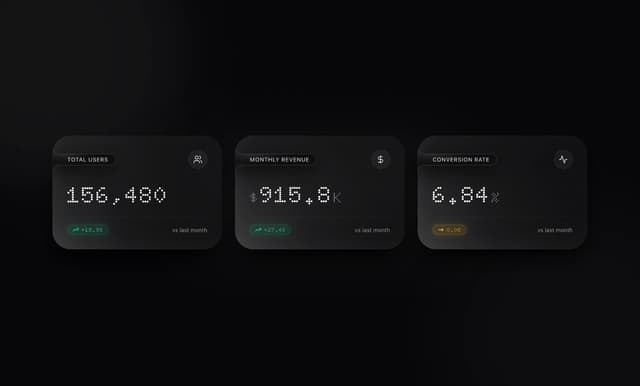
Card Dashboard Analytic
23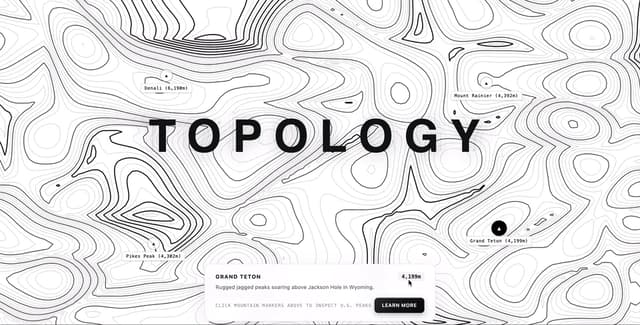
Contour line Mountain
22
Contour Line Light
16
Loading Screen Glass
15
Contour Line Chart
14
21 st Contour Line
13