
About
Loading placeholders that draw a thread's real shape, who wrote each turn and how long it is, so the swap to the messages barely moves.
Built with React and Tailwind. Copy the prompt and paste it into Claude Code, Cursor or Lovable: your agent adds Message Skeleton to your project and fits it to your theme.
Code
How Message Skeleton is used: the demo's code. The component's own source comes with a free account.
Usage.tsx
"use client"

import * as React from "react"
import { forwardRef, createElement, type SVGAttributes, type ForwardRefExoticComponent, type RefAttributes } from "react"
import { cn } from "@/lib/utils"
import { Message, MessageContent, MessageSkeleton } from "@/components/ui/message-skeleton"

interface GhostState {
  x: number
  y: number
  shown: boolean
  down: boolean
}

/**
 * A pointer that walks a demo through its clicks, so a preview shows what each control does.
 * `stage` is the positioned box the pointer moves in; targets are found inside it. Sizes come
 * from layout boxes, so a scaled FitFrame never throws the aim off.
 */
function useGhost(stage: React.RefObject<HTMLElement | null>) {
  const [ghost, setGhost] = React.useState<GhostState>({ x: 0, y: 0, shown: false, down: false })

  const find = React.useCallback(
    (target: string | HTMLElement) =>
      typeof target === "string"
        ? stage.current?.querySelector<HTMLElement>(target) ?? null
        : target,
    [stage],
  )

  const moveTo = React.useCallback(
    (target: string | HTMLElement, dx = 0.5, dy = 0.6) => {
      const root = stage.current
      const el = find(target)
      if (!root || !el) return null
      const rr = root.getBoundingClientRect()
      const scale = root.offsetWidth ? rr.width / root.offsetWidth : 1
      const er = el.getBoundingClientRect()
      const x = (er.left - rr.left + er.width * dx) / scale
      const y = (er.top - rr.top + er.height * dy) / scale
      // A hidden pointer fades in a short way off its first target instead of flying in from
      // wherever it was last.
      setGhost((g) => (g.shown ? { x, y, shown: true, down: false } : { x: x + 70, y: y + 46, shown: false, down: false }))
      window.requestAnimationFrame(() =>
        window.requestAnimationFrame(() => setGhost({ x, y, shown: true, down: false })),
      )
      return el
    },
    [stage, find],
  )

  const press = React.useCallback((down: boolean) => setGhost((g) => ({ ...g, down })), [])
  const hide = React.useCallback(() => setGhost((g) => ({ ...g, shown: false, down: false })), [])

  return { ghost, moveTo, press, hide, find }
}

const LOAD_MS = 1300

const reducedMotion = () =>
  typeof window !== "undefined" && window.matchMedia("(prefers-reduced-motion: reduce)").matches

const STOP = Symbol("stop")

/**
 * Runs `script` in a loop with a `wait(ms)` that stops cleanly on unmount or once `active` turns
 * false. Reduced motion never starts it.
 */
function useLoop(
  script: (wait: (ms: number) => Promise<void>) => Promise<void>,
  active = true,
) {
  const ref = React.useRef(script)
  ref.current = script
  React.useEffect(() => {
    if (!active || reducedMotion()) return
    let alive = true
    const timers = new Set<number>()
    const wait = (ms: number) =>
      new Promise<void>((resolve, reject) => {
        const id = window.setTimeout(() => {
          timers.delete(id)
          if (alive) resolve()
          else reject(STOP)
        }, ms)
        timers.add(id)
      })
    ;(async () => {
      try {
        while (alive) await ref.current(wait)
      } catch (error) {
        if (error !== STOP) throw error
      }
    })()
    return () => {
      alive = false
      for (const id of timers) window.clearTimeout(id)
    }
  }, [active])
}

/** Moves to a target, presses and clicks it. Returns the element, or null if it is gone. */
async function tap(
  g: ReturnType<typeof useGhost>,
  target: string | HTMLElement,
  wait: (ms: number) => Promise<void>,
  travel = 700,
) {
  if (!g.moveTo(target)) return null
  await wait(travel)
  g.press(true)
  await wait(130)
  const el = g.find(target)
  el?.click()
  g.press(false)
  return el
}

type Turn = readonly ["user" | "assistant", string]

interface Thread {
  id: string
  title: string
  when: string
  seed: number
  turns: Turn[]
}

const THREADS: Thread[] = [
  {
    id: "backup",
    title: "Nightly backup size",
    when: "Today",
    seed: 3,
    turns: [
      ["user", "Why is the nightly backup 3x larger since Tuesday?"],
      [
        "assistant",
        "Tuesday's migration added a full text index, and the backup job dumps indexes as data. Excluding it brings the backup back to 11 GB.",
      ],
      ["user", "How long does the rebuild take on restore?"],
      ["assistant", "About 6 minutes on the staging replica."],
    ],
  },
  {
    id: "passkeys",
    title: "Passkeys rollout",
    when: "Yesterday",
    seed: 8,
    turns: [
      ["user", "Draft a rollout plan for passkeys."],
      [
        "assistant",
        "Three steps: staff first, then everyone as an option, then the default once 40% of active users have one.",
      ],
      ["user", "Keep SMS codes for enterprise accounts."],
      ["assistant", "Done. SMS stays on for enterprise workspaces."],
    ],
  },
  {
    id: "flaky",
    title: "Flaky coupon test",
    when: "Mon",
    seed: 5,
    turns: [
      ["user", "The coupon test fails about once in ten runs. Why?"],
      [
        "assistant",
        "It reads the clock twice, so a run that crosses midnight UTC sees two dates. Freezing the clock at the start makes it pass every time.",
      ],
    ],
  },
]

const FIT_CSS = "html,body{overflow:hidden}[data-fit-small] [data-fit-hide]{display:none!important}"

/**
 * 21st shows a demo in a small frame: about 674 by 421 on a component page, 358 by 224 on a
 * phone and 245 by 139 on a profile card. A demo taller than its frame gets scrollbars, which
 * render white on dark pages. FitFrame fills the frame exactly instead.
 *
 * - "scale": the content shrinks until it fits, centered. For visuals such as orbs.
 * - "crop": the content stays at full size from the top and fades out at the bottom. For text
 *   that streams in, where a changing scale would make the page breathe.
 *
 * `minWidth` lays out a wide demo (a table, a two column panel) at that width and scales it down
 * to the frame, instead of letting it collapse to a narrow layout. The frame centers it, so it
 * shrinks evenly on both sides.
 *
 * Anything marked `data-fit-hide` (state buttons, the chatcn.dev line) drops out in frames
 * shorter than `hideBelow`, so a profile card shows the visual alone.
 */
function FitFrame({
  children,
  mode = "scale",
  hideBelow = 360,
  minWidth,
}: {
  children: React.ReactNode
  mode?: "scale" | "crop"
  hideBelow?: number
  minWidth?: string
}) {
  const content = React.useRef<HTMLDivElement>(null)
  const [cropped, setCropped] = React.useState(false)

  React.useLayoutEffect(() => {
    const el = content.current
    if (!el) return
    const measure = () => {
      const vw = window.innerWidth
      const vh = window.innerHeight
      el.toggleAttribute("data-fit-small", vh < hideBelow)
      // Layout sizes ignore the transform, so measuring never feeds back.
      const w = Math.max(el.offsetWidth, el.scrollWidth)
      const h = Math.max(el.offsetHeight, el.scrollHeight)
      const scale = mode === "scale" ? Math.min(1, vw / w, vh / h) : 1
      el.style.transform = scale < 1 ? `scale(${scale})` : ""
      setCropped(mode === "crop" && h > vh + 1)
    }
    measure()
    const observer = new ResizeObserver(measure)
    observer.observe(el)
    // Content that changes inside a fixed width box (a headline that cycles words) never resizes
    // the box itself, so changes below it measure again on the next frame.
    let frame = 0
    const mutations = new MutationObserver(() => {
      cancelAnimationFrame(frame)
      frame = requestAnimationFrame(measure)
    })
    mutations.observe(el, { subtree: true, childList: true, characterData: true })
    window.addEventListener("resize", measure)
    return () => {
      observer.disconnect()
      mutations.disconnect()
      cancelAnimationFrame(frame)
      window.removeEventListener("resize", measure)
    }
  }, [mode, hideBelow])

  const fade = "linear-gradient(to bottom, #000 calc(100% - 40px), transparent)"
  return (
    <div
      className="flex w-full justify-center overflow-hidden"
      style={{
        height: "100dvh",
        alignItems: mode === "crop" ? "flex-start" : "center",
        maskImage: cropped ? fade : undefined,
        WebkitMaskImage: cropped ? fade : undefined,
      }}
    >
      <style>{FIT_CSS}</style>
      <div
        ref={content}
        className="w-full shrink-0"
        style={{ transformOrigin: mode === "crop" ? "top center" : "center", minWidth }}
      >
        {children}
      </div>
    </div>
  )
}

interface IconProps extends SVGAttributes<SVGSVGElement> {
  /** Width and height. Number means px. Default 24. */
  size?: number | string
  /** Stroke width in viewBox units (24 grid). Default 1.5. */
  strokeWidth?: number | string
  /** Keep the rendered stroke at `strokeWidth` px at any size. */
  absoluteStrokeWidth?: boolean
  /** Stroke color. Default currentColor. */
  color?: string
  /** Accessible name. Renders <title> and sets role="img"; without it the icon is aria-hidden. */
  title?: string
}

type Icon = ForwardRefExoticComponent<IconProps & RefAttributes<SVGSVGElement>>

/** Shape elements an icon may contain. */
type IconElement = "path" | "circle" | "rect" | "ellipse" | "line" | "polyline" | "polygon"

/** An icon's drawing: a flat list of [element, attributes] pairs, lucide compatible. */
type IconNode = ReadonlyArray<readonly [IconElement, Readonly<Record<string, string>>]>

const toPascal = (name: string): string =>
  name
    .split("-")
    .map((part) => part.charAt(0).toUpperCase() + part.slice(1))
    .join("")

/**
 * Builds a React icon component from an icon node.
 * `name` is the kebab-case icon name, used for the class `chatcn-icon-<name>` and displayName.
 */
function createIcon(name: string, iconNode: IconNode): Icon {
  // biome-ignore lint/correctness/noComponentHookFactories: runs once per icon at module load
  const Component = forwardRef<SVGSVGElement, IconProps>(function ChatcnIcon(
    {
      size = 24,
      strokeWidth = 1.5,
      absoluteStrokeWidth = false,
      color = "currentColor",
      title,
      className,
      children,
      ...rest
    },
    ref,
  ) {
    const stroke = absoluteStrokeWidth
      ? (Number(strokeWidth) * 24) / Number.parseFloat(String(size))
      : strokeWidth
    const labelled = Boolean(title || rest["aria-label"] || rest["aria-labelledby"])
    return createElement(
      "svg",
      {
        ref,
        xmlns: "http://www.w3.org/2000/svg",
        width: size,
        height: size,
        viewBox: "0 0 24 24",
        fill: "none",
        stroke: color,
        strokeWidth: stroke,
        strokeLinecap: "round",
        strokeLinejoin: "round",
        "data-slot": "icon",
        className: className
          ? `chatcn-icon chatcn-icon-${name} ${className}`
          : `chatcn-icon chatcn-icon-${name}`,
        ...(labelled ? { role: "img" } : { "aria-hidden": true }),
        ...rest,
      },
      title ? createElement("title", null, title) : null,
      ...iconNode.map(([tag, attrs], i) => createElement(tag, { key: i, ...attrs })),
      children,
    )
  })
  Component.displayName = `${toPascal(name)}Icon`
  return Component
}

const iconNode: IconNode = [
  ["path", {"d":"M6 3.5h12a3 3 0 0 1 3 3V14a3 3 0 0 1-3 3H8.53a1.5 1.5 0 0 0-.94.33l-2.56 2.05A1.25 1.25 0 0 1 3 18.4V6.5a3 3 0 0 1 3-3"}],
]

const MessageSquareIcon: Icon = /* @__PURE__ */ createIcon("message-square", iconNode)

/** What the thread list already knows before the text loads: who wrote each turn, and how long it is. */
const shapeOf = (thread: Thread) => thread.turns.map(([from, text]) => ({ from, chars: text.length }))

/** The pointer itself. Put it last inside the stage, which must be `relative`. */
function Ghost({ ghost }: { ghost: GhostState }) {
  return (
    <div
      aria-hidden
      className="pointer-events-none absolute top-0 left-0 z-20"
      style={{
        transform: `translate(${ghost.x}px, ${ghost.y}px)`,
        opacity: ghost.shown ? 1 : 0,
        // Hidden, it jumps; shown, it glides.
        transition: ghost.shown
          ? "transform 620ms cubic-bezier(0.4, 0, 0.2, 1), opacity 220ms ease-out"
          : "opacity 220ms ease-out",
      }}
    >
      <svg
        width="18"
        height="20"
        viewBox="0 0 18 20"
        className="drop-shadow-[0_1px_2px_rgb(0_0_0/0.25)]"
        style={{
          transform: ghost.down ? "scale(0.86)" : "scale(1)",
          transformOrigin: "2px 2px",
          transition: "transform 120ms ease-out",
        }}
      >
        <path
          d="M2 1.5 L2 16 L5.9 12.4 L8.6 18.3 L11.2 17.1 L8.6 11.3 L13.9 11.1 Z"
          className="fill-[oklch(0.2_0_0)] stroke-white dark:fill-white dark:stroke-[oklch(0.2_0_0)]"
          strokeWidth="1.3"
          strokeLinejoin="round"
        />
      </svg>
    </div>
  )
}

/** The line under each 21st demo that points back to the kit. */
function MoreOn({ slug, children }: { slug: string; children: React.ReactNode }) {
  return (
    <p data-fit-hide className="text-[0.75rem]/[1rem] text-(color:--chatcn-fg-faint) text-center text-balance">
      {children}{" "}
      <a
        href={`https://chatcn.dev/docs/components/${slug}`}
        target="_blank"
        rel="noopener"
        className="text-(color:--chatcn-fg-subtle) hover:text-(color:--chatcn-fg) underline underline-offset-2"
      >
        chatcn.dev
      </a>
    </p>
  )
}

/**
 * A chat app opening threads from its history. The skeleton draws each thread's real shape (who
 * wrote each turn and how long it is) while it loads, so the swap to the messages barely moves.
 * The pointer opens one thread, then another. Loops.
 */
export default function MessageSkeletonPreview() {
  const stage = React.useRef<HTMLDivElement>(null)
  const g = useGhost(stage)
  const [active, setActive] = React.useState("backup")
  const [loading, setLoading] = React.useState(false)
  const [touring, setTouring] = React.useState(true)
  const timer = React.useRef<number | undefined>(undefined)

  const open = React.useCallback((id: string) => {
    setActive(id)
    setLoading(true)
    window.clearTimeout(timer.current)
    timer.current = window.setTimeout(() => setLoading(false), LOAD_MS)
  }, [])

  React.useEffect(() => () => window.clearTimeout(timer.current), [])

  useLoop(async (wait) => {
    await wait(1000)
    for (const id of ["passkeys", "flaky", "backup"]) {
      await tap(g, `[data-thread="${id}"]`, wait)
      await wait(300)
      g.hide()
      await wait(LOAD_MS + 2200)
    }
  }, touring)

  const thread = THREADS.find((t) => t.id === active)!

  return (
    <FitFrame minWidth="40rem">
      <div className="flex w-full flex-col items-center justify-center gap-4 p-6">
        <div
          ref={stage}
          className="border-(color:--chatcn-border) rounded-(--chatcn-radius-xl) bg-(color:--chatcn-bg) relative flex h-[22rem] w-full max-w-2xl overflow-hidden border"
          onPointerDownCapture={(event) => {
            if (event.isTrusted && touring) {
              setTouring(false)
              g.hide()
            }
          }}
        >
          <nav className="border-(color:--chatcn-border) bg-(color:--chatcn-bg-subtle) flex w-52 shrink-0 flex-col gap-0.5 border-e p-2">
            <p className="text-[0.75rem]/[1rem] text-(color:--chatcn-fg-faint) px-2 pt-1 pb-1.5 font-medium">History</p>
            {THREADS.map((t) => (
              <button
                key={t.id}
                type="button"
                data-thread={t.id}
                onClick={() => open(t.id)}
                className={cn(
                  "rounded-(--chatcn-radius-md) flex items-center gap-2 px-2 py-1.5 text-start outline-none",
                  "ease-(--chatcn-ease-standard) transition-[background-color,color] duration-150",
                  t.id === active
                    ? "bg-(color:--chatcn-fill) text-(color:--chatcn-fg)"
                    : "text-(color:--chatcn-fg-muted) hover:bg-(color:--chatcn-fill) hover:text-(color:--chatcn-fg)",
                )}
              >
                <MessageSquareIcon className="size-3.5 shrink-0 self-start mt-0.5 opacity-70" />
                <span className="flex min-w-0 flex-1 flex-col">
                  <span className="text-[0.8125rem]/[1.25rem] truncate font-medium">{t.title}</span>
                  <span className="text-[0.75rem]/[1rem] text-(color:--chatcn-fg-faint)">{t.when}</span>
                </span>
              </button>
            ))}
          </nav>
          <div className="flex min-w-0 flex-1 flex-col">
            <div className="border-(color:--chatcn-border) text-[0.875rem]/[1.25rem] tracking-[-0.003em] text-(color:--chatcn-fg) border-b px-5 py-3 font-medium">
              {thread.title}
            </div>
            <div className="min-h-0 flex-1 overflow-hidden px-5 py-4">
              {loading ? (
                <MessageSkeleton key={thread.id} items={shapeOf(thread)} seed={thread.seed} delay={0} />
              ) : (
                <div
                  key={thread.id}
                  className="flex flex-col gap-6 transition-opacity duration-200 starting:opacity-0"
                >
                  {thread.turns.map(([from, text]) => (
                    <Message key={text} from={from}>
                      <MessageContent>{text}</MessageContent>
                    </Message>
                  ))}
                </div>
              )}
            </div>
          </div>
          <Ghost ghost={g.ghost} />
        </div>
        <MoreOn slug="message-skeleton">Placeholders that match the thread before its history loads. On</MoreOn>
      </div>
    </FitFrame>
  )
}
More by Aadi
View all
Stat Card
45
Audio Visualizer
32
Dither Orb
24
Voice Orb
20
Weather Card
16
Waveform
15
Ticker Card
14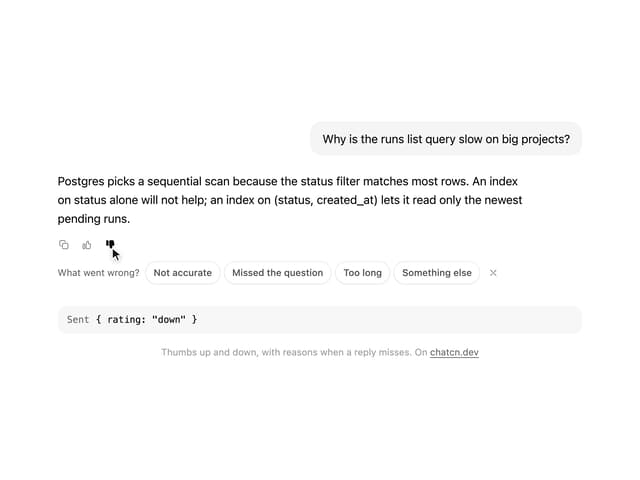
Message Feedback
13
More in AI chats
View all

AI Actions
351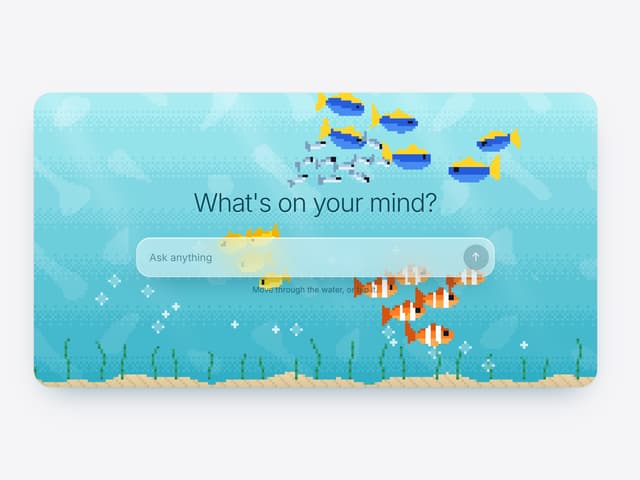

Aquarium Prompt
113
Agent Chat
21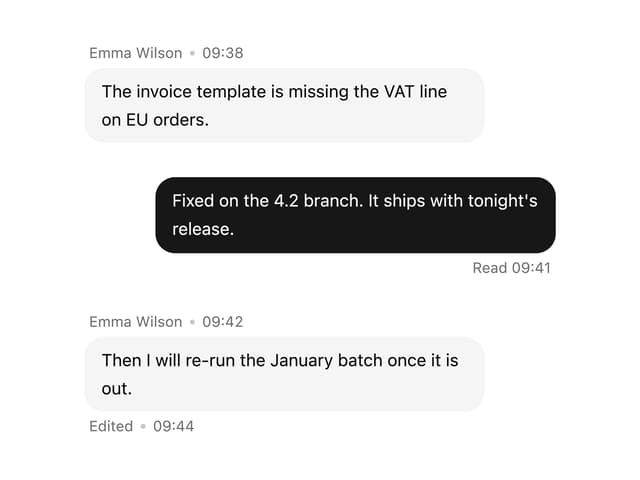

Message With Header And Delivery Status
60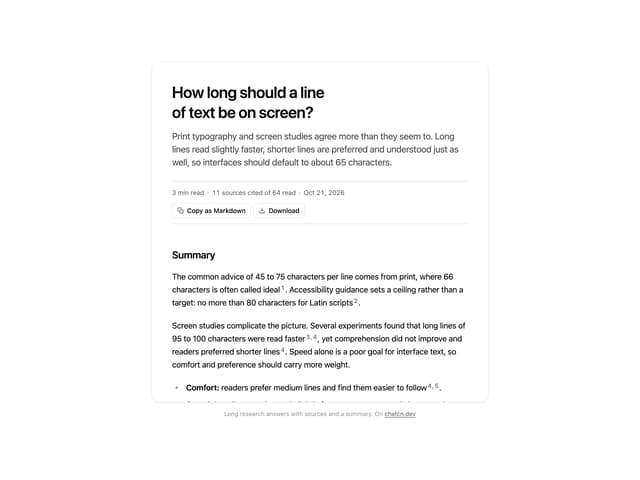
Research Report
7
Tool Web Fetch
4
Color Picker
201
Suggestions
40

