

About
Watch a browser agent work: live screenshots with the click it is about to make, a pause for the steps a person must do, take over and hand back, then a timeline to scrub every step.
Built with React and Tailwind. Copy the prompt and paste it into Claude Code, Cursor or Lovable: your agent adds Computer View to your project and fits it to your theme.
Code
How Computer View is used: the demo's code. The component's own source comes with a free account.
Usage.tsx
"use client"

import * as React from "react"
import { cn } from "@/lib/utils"
import { ComputerFrame, ComputerView, ComputerViewStatus } from "@/components/ui/computer-view"

type Phase = "before" | "paused" | "user" | "after" | "ended"

/** Frames on screen when the demo opens: the agent is about to click Continue on the sign in. */
const OPENING = 3

/* -------------------------------------------------------------------------------------------------
 * The session: a browser agent checks a preview deploy. It signs in, stops at the password
 * (you type it, the agent never sees it), then opens billing and downloads the latest invoice.
 * -----------------------------------------------------------------------------------------------*/

const URL = "preview-482.palletapp.dev"

function Page({ children, className }: { children: React.ReactNode; className?: string }) {
  return (
    <div
      className={cn("bg-(color:--chatcn-bg) text-(color:--chatcn-fg) absolute inset-0 overflow-hidden", className)}
      style={{ fontSize: "1.5cqw", lineHeight: 1.4 }}
    >
      {children}
    </div>
  )
}

/*
 * Monochrome placeholder screens for the computer view examples. Everything is sized in `em` off a
 * root font size of 1.5cqw, so one screen renders crisply at full size and as a thumbnail.
 * Targets sit at fixed percentages so the agent's cursor lands exactly on them.
 */

function At({
  x,
  y,
  w,
  h,
  className,
  style,
  children,
}: {
  x: number
  y: number
  w?: number
  h?: number
  className?: string
  style?: React.CSSProperties
  children?: React.ReactNode
}) {
  return (
    <div
      className={cn("absolute", className)}
      style={{
        left: `${x}%`,
        top: `${y}%`,
        width: w === undefined ? undefined : `${w}%`,
        height: h === undefined ? undefined : `${h}%`,
        ...style,
      }}
    >
      {children}
    </div>
  )
}

/* -------------------------------------------------------------------------------------------------
 * Screens
 * -----------------------------------------------------------------------------------------------*/

function BlankScreen() {
  return (
    <Page className="bg-(color:--chatcn-bg-subtle)">
      <At x={0} y={0} w={34} h={0.6} className="bg-(color:--chatcn-fg)" />
      <At
        x={42}
        y={46}
        w={16}
        h={2.4}
        className="bg-(color:--chatcn-fill)"
        style={{ borderRadius: "0.4em" }}
      />
      <At
        x={45}
        y={52}
        w={10}
        h={2.4}
        className="bg-(color:--chatcn-fill)"
        style={{ borderRadius: "0.4em" }}
      />
    </Page>
  )
}

function Logo({ x, y }: { x: number; y: number }) {
  return (
    <At x={x} y={y} className="flex items-center" style={{ gap: "0.5em" }}>
      <span
        className="bg-(color:--chatcn-fg) block"
        style={{ width: "1.2em", height: "1.2em", borderRadius: "0.3em" }}
      />
      <span className="font-medium" style={{ fontSize: "1.05em" }}>
        Pallet
      </span>
    </At>
  )
}

function Card({ children }: { children: React.ReactNode }) {
  return (
    <At
      x={33}
      y={14}
      w={34}
      h={74}
      className="bg-(color:--chatcn-card)"
      style={{ borderRadius: "0.9em", boxShadow: "var(--chatcn-shadow-sm)" }}
    >
      {children}
    </At>
  )
}

function Field({
  x,
  y,
  w,
  label,
  value,
  placeholder,
  focused,
  password,
}: {
  x: number
  y: number
  w: number
  label: string
  value?: string
  placeholder?: string
  focused?: boolean
  password?: boolean
}) {
  return (
    <>
      <At
        x={x}
        y={y - 5.5}
        className="text-(color:--chatcn-fg-muted) font-medium"
        style={{ fontSize: "0.85em" }}
      >
        {label}
      </At>
      <At
        x={x}
        y={y - 3}
        w={w}
        h={6}
        className={cn(
          "bg-(color:--chatcn-bg) flex items-center",
          focused ? "text-(color:--chatcn-fg)" : "text-(color:--chatcn-fg-subtle)",
        )}
        style={{
          borderRadius: "0.45em",
          padding: "0 0.8em",
          boxShadow: focused
            ? "0 0 0 0.12em var(--chatcn-fg)"
            : "inset 0 0 0 0.08em var(--chatcn-border-strong)",
        }}
      >
        {value ? (
          <span className="text-(color:--chatcn-fg)">{password ? "•".repeat(value.length) : value}</span>
        ) : (
          placeholder
        )}
        {focused ? (
          <span
            className="bg-(color:--chatcn-fg) ms-[0.1em] inline-block"
            style={{ width: "0.08em", height: "1.1em" }}
          />
        ) : null}
      </At>
    </>
  )
}

function PrimaryButton({
  x,
  y,
  w,
  label,
  busy,
}: {
  x: number
  y: number
  w: number
  label: string
  busy?: boolean
}) {
  return (
    <At
      x={x}
      y={y - 3}
      w={w}
      h={6}
      className="bg-(color:--chatcn-fg) text-(color:--chatcn-bg) flex items-center justify-center font-medium"
      style={{ borderRadius: "0.45em", opacity: busy ? 0.6 : 1 }}
    >
      {busy ? "Checking…" : label}
    </At>
  )
}

function SignInScreen({
  email,
  focused,
  busy,
}: {
  email?: string
  focused?: boolean
  busy?: boolean
}) {
  return (
    <Page className="bg-(color:--chatcn-bg-subtle)">
      <Logo x={3} y={5} />
      <At x={84} y={5} className="text-(color:--chatcn-fg-subtle)" style={{ fontSize: "0.85em" }}>
        Preview · main@4f2c1a9
      </At>
      <Card>{null}</Card>
      <At
        x={36}
        y={20}
        className="font-medium"
        style={{ fontSize: "1.45em", letterSpacing: "-0.01em" }}
      >
        Sign in to Pallet
      </At>
      <At x={36} y={27} className="text-(color:--chatcn-fg-muted)" style={{ fontSize: "0.95em" }}>
        Use your work email to continue.
      </At>
      <Field
        x={36}
        y={45}
        w={28}
        label="Email"
        value={email}
        placeholder="[email protected]"
        focused={focused}
      />
      <PrimaryButton x={36} y={55.5} w={28} label="Continue" busy={busy} />
      <At
        x={36}
        y={62.5}
        w={28}
        className="text-(color:--chatcn-fg-subtle) flex items-center"
        style={{ gap: "0.8em", fontSize: "0.8em" }}
      >
        <span className="bg-(color:--chatcn-border) h-px flex-1" />
        or
        <span className="bg-(color:--chatcn-border) h-px flex-1" />
      </At>
      <At
        x={36}
        y={66.5}
        w={28}
        h={6}
        className="flex items-center justify-center font-medium"
        style={{
          borderRadius: "0.45em",
          boxShadow: "inset 0 0 0 0.08em var(--chatcn-border-strong)",
        }}
      >
        Continue with SSO
      </At>
      <At
        x={36}
        y={79}
        w={28}
        className="text-(color:--chatcn-fg-subtle) text-center"
        style={{ fontSize: "0.8em" }}
      >
        By continuing you accept the terms of service.
      </At>
    </Page>
  )
}

function PasswordScreen({ filled }: { filled?: boolean }) {
  return (
    <Page className="bg-(color:--chatcn-bg-subtle)">
      <Logo x={3} y={5} />
      <Card>{null}</Card>
      <At
        x={36}
        y={20}
        className="font-medium"
        style={{ fontSize: "1.45em", letterSpacing: "-0.01em" }}
      >
        Enter your password
      </At>
      <At x={36} y={27} className="text-(color:--chatcn-fg-muted)" style={{ fontSize: "0.95em" }}>
        [email protected]
      </At>
      <Field
        x={36}
        y={45}
        w={28}
        label="Password"
        value={filled ? "correcthorse" : undefined}
        placeholder="Password"
        focused
        password
      />
      <PrimaryButton x={36} y={55.5} w={28} label="Sign in" />
      <At x={36} y={63} className="text-(color:--chatcn-fg-muted) underline" style={{ fontSize: "0.85em" }}>
        Forgot password?
      </At>
    </Page>
  )
}

const BEFORE_PASSWORD: ComputerFrame[] = [
  {
    id: "open",
    url: URL,
    screen: <BlankScreen />,
    action: { kind: "navigate", label: `Open ${URL}` },
  },
  {
    id: "email-click",
    url: `${URL}/login`,
    screen: <SignInScreen />,
    action: { kind: "click", label: "Click Email", x: 0.5, y: 0.45 },
  },
  {
    id: "email-type",
    url: `${URL}/login`,
    screen: <SignInScreen email="[email protected]" focused />,
    action: { kind: "type", label: "Type [email protected]", x: 0.5, y: 0.45 },
  },
  {
    id: "continue",
    url: `${URL}/login`,
    screen: <SignInScreen email="[email protected]" busy />,
    action: { kind: "click", label: "Click Continue", x: 0.5, y: 0.555 },
  },
  {
    id: "password",
    url: `${URL}/login/password`,
    screen: <PasswordScreen />,
    action: { kind: "wait", label: "Wait for you to sign in", x: 0.5, y: 0.45 },
  },
]

/**
 * Paced for 21st's preview video, which records about five seconds starting roughly two seconds
 * in: the agent reaches the password and pauses, a person takes over and types, hands back, and
 * the agent carries on. Frames still carry real session times, so the timeline reads true.
 */
const TICK = 850

const PAUSED_MS = 2000

const USER_MS = 1400

const NAV = ["Overview", "Deployments", "Analytics", "Logs", "Settings"]

function Shell({ active, children }: { active: string; children: React.ReactNode }) {
  return (
    <Page>
      <At
        x={0}
        y={0}
        w={18}
        h={100}
        className="bg-(color:--chatcn-bg-subtle)"
        style={{ boxShadow: "inset -0.08em 0 0 var(--chatcn-border)" }}
      />
      <Logo x={2.5} y={5} />
      {NAV.map((item, i) => (
        <At
          key={item}
          x={1.5}
          y={14 + i * 6.5 + (item === "Settings" ? 6.5 : 0)}
          w={15}
          h={5.2}
          className={cn(
            "flex items-center",
            item === active ? "bg-(color:--chatcn-fill) text-(color:--chatcn-fg) font-medium" : "text-(color:--chatcn-fg-muted)",
          )}
          style={{ borderRadius: "0.45em", padding: "0 0.75em", fontSize: "0.95em" }}
        >
          {item}
        </At>
      ))}
      <At
        x={2.5}
        y={90}
        className="text-(color:--chatcn-fg-subtle) flex items-center"
        style={{ gap: "0.5em", fontSize: "0.85em" }}
      >
        <span
          className="bg-(color:--chatcn-fill) block rounded-full"
          style={{ width: "1.4em", height: "1.4em" }}
        />
        [email protected]
      </At>
      {children}
    </Page>
  )
}

function DashboardScreen() {
  const rows = [
    ["web", "Ready", "2 m ago"],
    ["docs", "Ready", "1 h ago"],
    ["api", "Building", "now"],
    ["marketing", "Ready", "3 d ago"],
  ]
  return (
    <Shell active="Overview">
      <At x={22} y={6} className="font-medium" style={{ fontSize: "1.45em" }}>
        Projects
      </At>
      <At
        x={84}
        y={5.5}
        w={12}
        h={5.5}
        className="bg-(color:--chatcn-fg) text-(color:--chatcn-bg) flex items-center justify-center font-medium"
        style={{ borderRadius: "0.45em", fontSize: "0.9em" }}
      >
        New project
      </At>
      {rows.map(([name, status, when], i) => (
        <At
          key={name}
          x={22}
          y={18 + i * 12}
          w={74}
          h={10}
          className="flex items-center"
          style={{
            borderRadius: "0.6em",
            boxShadow: "inset 0 0 0 0.08em var(--chatcn-border)",
            padding: "0 1.2em",
            gap: "1em",
          }}
        >
          <span
            className="bg-(color:--chatcn-fill) block"
            style={{ width: "2em", height: "2em", borderRadius: "0.4em" }}
          />
          <span className="flex-1 font-medium">{name}</span>
          <span
            className="text-(color:--chatcn-fg-muted) flex items-center"
            style={{ gap: "0.4em", fontSize: "0.9em" }}
          >
            <span
              className={cn(
                "block rounded-full",
                status === "Ready" ? "bg-(color:--chatcn-fg)" : "bg-(color:--chatcn-fg-faint)",
              )}
              style={{ width: "0.5em", height: "0.5em" }}
            />
            {status}
          </span>
          <span
            className="text-(color:--chatcn-fg-subtle)"
            style={{ fontSize: "0.9em", width: "5em", textAlign: "right" }}
          >
            {when}
          </span>
        </At>
      ))}
    </Shell>
  )
}

const TABS = ["General", "Members", "Billing", "Security"]

function SettingsTabs({ active }: { active: string }) {
  return (
    <>
      <At x={22} y={6} className="font-medium" style={{ fontSize: "1.45em" }}>
        Settings
      </At>
      <At x={22} y={24.5} w={74} h={0.2} className="bg-(color:--chatcn-border)" />
      {TABS.map((tab, i) => (
        <At
          key={tab}
          x={22 + i * 9.5}
          y={17}
          w={9}
          h={7.5}
          className={cn(
            "flex items-center justify-center",
            tab === active ? "text-(color:--chatcn-fg) font-medium" : "text-(color:--chatcn-fg-muted)",
          )}
          style={{
            fontSize: "0.95em",
            boxShadow: tab === active ? "inset 0 -0.15em 0 var(--chatcn-fg)" : undefined,
          }}
        >
          {tab}
        </At>
      ))}
    </>
  )
}

function SettingsScreen() {
  return (
    <Shell active="Settings">
      <SettingsTabs active="General" />
      {[
        ["Team name", "Harbor Goods"],
        ["Team URL", "palletapp.dev/team/harbor-goods"],
        ["Default region", "Frankfurt, Germany"],
      ].map(([label, value], i) => (
        <At key={label} x={22} y={31 + i * 15} w={50}>
          <div
            className="text-(color:--chatcn-fg-muted) font-medium"
            style={{ fontSize: "0.85em", marginBottom: "0.5em" }}
          >
            {label}
          </div>
          <div
            className="flex items-center"
            style={{
              height: "2.6em",
              borderRadius: "0.45em",
              padding: "0 0.8em",
              boxShadow: "inset 0 0 0 0.08em var(--chatcn-border-strong)",
            }}
          >
            {value}
          </div>
        </At>
      ))}
    </Shell>
  )
}

const INVOICES = [
  ["Oct 2026", "INV-2026-10", "$240.00"],
  ["Sep 2026", "INV-2026-09", "$240.00"],
  ["Aug 2026", "INV-2026-08", "$220.00"],
  ["Jul 2026", "INV-2026-07", "$220.00"],
  ["Jun 2026", "INV-2026-06", "$200.00"],
  ["May 2026", "INV-2026-05", "$200.00"],
]

function BillingScreen({
  scrolled,
  downloaded,
}: {
  scrolled?: boolean
  downloaded?: boolean
}) {
  const top = scrolled ? 14 : 58
  return (
    <Shell active="Settings">
      {scrolled ? null : (
        <>
          <SettingsTabs active="Billing" />
          <At
            x={22}
            y={30}
            w={74}
            h={21}
            className="flex items-center justify-between"
            style={{
              borderRadius: "0.7em",
              boxShadow: "inset 0 0 0 0.08em var(--chatcn-border)",
              padding: "0 1.6em",
            }}
          >
            <div>
              <div className="text-(color:--chatcn-fg-muted)" style={{ fontSize: "0.85em" }}>
                Current plan
              </div>
              <div className="font-medium" style={{ fontSize: "1.5em" }}>
                Pro, 12 seats
              </div>
              <div className="text-(color:--chatcn-fg-subtle)" style={{ fontSize: "0.85em" }}>
                Renews on Nov 1, 2026
              </div>
            </div>
            <div className="font-medium" style={{ fontSize: "1.3em" }}>
              $240 / month
            </div>
          </At>
        </>
      )}
      <At x={22} y={top} className="font-medium" style={{ fontSize: "1.1em" }}>
        Invoices
      </At>
      {INVOICES.map(([month, id, amount], i) => (
        <At
          key={id}
          x={22}
          y={top + 7 + i * 8.5}
          w={74}
          h={8.5}
          className="text-(color:--chatcn-fg) flex items-center"
          style={{
            boxShadow: "inset 0 -0.08em 0 var(--chatcn-border)",
            padding: "0 0.4em",
            gap: "1em",
            fontSize: "0.95em",
          }}
        >
          <span style={{ width: "7em" }}>{month}</span>
          <span className="text-(color:--chatcn-fg-muted) flex-1 font-mono" style={{ fontSize: "0.9em" }}>
            {id}
          </span>
          <span style={{ width: "6em" }}>{amount}</span>
          <span className="text-(color:--chatcn-fg-muted)" style={{ width: "4em" }}>
            Paid
          </span>
          <span className="font-medium underline" style={{ width: "5.5em", textAlign: "right" }}>
            Download
          </span>
        </At>
      ))}
      {downloaded ? (
        <At
          x={70}
          y={84}
          w={27}
          h={9}
          className="bg-(color:--chatcn-fg) text-(color:--chatcn-bg) flex items-center"
          style={{ borderRadius: "0.6em", padding: "0 1em", gap: "0.6em", fontSize: "0.9em" }}
        >
          <span className="font-medium">Downloaded</span>
          <span className="font-mono opacity-70" style={{ fontSize: "0.9em" }}>
            INV-2026-10.pdf
          </span>
        </At>
      ) : null}
    </Shell>
  )
}

/** Where the Download link of the first invoice sits when the page is scrolled. */
const FIRST_DOWNLOAD = { x: 0.915, y: (14 + 7 + 4.25) / 100 }

const AFTER_PASSWORD: ComputerFrame[] = [
  {
    id: "dashboard",
    url: `${URL}/harbor-goods`,
    screen: <DashboardScreen />,
    action: { kind: "click", label: "Click Settings", x: 0.09, y: 0.49 },
  },
  {
    id: "settings",
    url: `${URL}/harbor-goods/settings`,
    screen: <SettingsScreen />,
    action: { kind: "click", label: "Click Billing", x: 0.455, y: 0.207 },
  },
  {
    id: "billing",
    url: `${URL}/harbor-goods/settings/billing`,
    screen: <BillingScreen />,
    action: { kind: "scroll", label: "Scroll to Invoices", x: 0.6, y: 0.64 },
  },
  {
    id: "invoices",
    url: `${URL}/harbor-goods/settings/billing#invoices`,
    screen: <BillingScreen scrolled />,
    action: { kind: "click", label: "Click Download on Oct 2026", ...FIRST_DOWNLOAD },
  },
  {
    id: "downloaded",
    url: `${URL}/harbor-goods/settings/billing#invoices`,
    screen: <BillingScreen scrolled downloaded />,
    action: { kind: "wait", label: "Check INV-2026-10.pdf", x: 0.73, y: 0.875 },
  },
]

const STEP_MS = 1500

/** Stamps session time on each frame so the timeline spaces them like the real run. */
function stamp(frames: ComputerFrame[], from: number) {
  return frames.map((f, i) => ({ ...f, at: from + i * STEP_MS }))
}

const FIT_CSS = "html,body{overflow:hidden}[data-fit-small] [data-fit-hide]{display:none!important}"

/**
 * 21st shows a demo in a small frame: about 674 by 421 on a component page, 358 by 224 on a
 * phone and 245 by 139 on a profile card. A demo taller than its frame gets scrollbars, which
 * render white on dark pages. FitFrame fills the frame exactly instead.
 *
 * - "scale": the content shrinks until it fits, centered. For visuals such as orbs.
 * - "crop": the content stays at full size from the top and fades out at the bottom. For text
 *   that streams in, where a changing scale would make the page breathe.
 *
 * `minWidth` lays out a wide demo (a table, a two column panel) at that width and scales it down
 * to the frame, instead of letting it collapse to a narrow layout. The frame centers it, so it
 * shrinks evenly on both sides.
 *
 * Anything marked `data-fit-hide` (state buttons, the chatcn.dev line) drops out in frames
 * shorter than `hideBelow`, so a profile card shows the visual alone.
 */
function FitFrame({
  children,
  mode = "scale",
  hideBelow = 360,
  minWidth,
}: {
  children: React.ReactNode
  mode?: "scale" | "crop"
  hideBelow?: number
  minWidth?: string
}) {
  const content = React.useRef<HTMLDivElement>(null)
  const [cropped, setCropped] = React.useState(false)

  React.useLayoutEffect(() => {
    const el = content.current
    if (!el) return
    const measure = () => {
      const vw = window.innerWidth
      const vh = window.innerHeight
      el.toggleAttribute("data-fit-small", vh < hideBelow)
      // Layout sizes ignore the transform, so measuring never feeds back.
      const w = Math.max(el.offsetWidth, el.scrollWidth)
      const h = Math.max(el.offsetHeight, el.scrollHeight)
      const scale = mode === "scale" ? Math.min(1, vw / w, vh / h) : 1
      el.style.transform = scale < 1 ? `scale(${scale})` : ""
      setCropped(mode === "crop" && h > vh + 1)
    }
    measure()
    const observer = new ResizeObserver(measure)
    observer.observe(el)
    window.addEventListener("resize", measure)
    return () => {
      observer.disconnect()
      window.removeEventListener("resize", measure)
    }
  }, [mode, hideBelow])

  const fade = "linear-gradient(to bottom, #000 calc(100% - 40px), transparent)"
  return (
    <div
      className="flex w-full justify-center overflow-hidden"
      style={{
        height: "100dvh",
        alignItems: mode === "crop" ? "flex-start" : "center",
        maskImage: cropped ? fade : undefined,
        WebkitMaskImage: cropped ? fade : undefined,
      }}
    >
      <style>{FIT_CSS}</style>
      <div
        ref={content}
        className="w-full shrink-0"
        style={{ transformOrigin: mode === "crop" ? "top center" : "center", minWidth }}
      >
        {children}
      </div>
    </div>
  )
}

/** The line under each 21st demo that points back to the kit. */
function MoreOn({ slug, children }: { slug: string; children: React.ReactNode }) {
  return (
    <p data-fit-hide className="text-[0.75rem]/[1rem] text-(color:--chatcn-fg-faint) text-center text-balance">
      {children}{" "}
      <a
        href={`https://chatcn.dev/docs/components/${slug}`}
        target="_blank"
        rel="noopener"
        className="text-(color:--chatcn-fg-subtle) hover:text-(color:--chatcn-fg) underline underline-offset-2"
      >
        chatcn.dev
      </a>
    </p>
  )
}

export default function ComputerViewDemo() {
  const [run, setRun] = React.useState(0)
  const [phase, setPhase] = React.useState<Phase>("before")
  const [count, setCount] = React.useState(OPENING)

  // The scripted session. Frames arrive one at a time; the password step waits for a person.
  React.useEffect(() => {
    let id: number
    const later = (fn: () => void, ms: number) => {
      id = window.setTimeout(fn, ms)
    }
    if (phase === "before") {
      if (count < BEFORE_PASSWORD.length) later(() => setCount((c) => c + 1), TICK)
      else later(() => setPhase("paused"), 600)
    } else if (phase === "paused") later(() => setPhase("user"), PAUSED_MS)
    else if (phase === "user") later(() => setPhase("after"), USER_MS)
    else if (phase === "after") {
      const total = BEFORE_PASSWORD.length + AFTER_PASSWORD.length
      if (count < total) later(() => setCount((c) => c + 1), TICK)
      else later(() => setPhase("ended"), 900)
    } else {
      later(() => {
        setCount(OPENING)
        setPhase("before")
        setRun((r) => r + 1)
      }, 2600)
    }
    return () => window.clearTimeout(id)
  }, [phase, count, run])

  const before = stamp(BEFORE_PASSWORD, 0)
  // The pause adds real time to the run, so later frames sit further along the timeline.
  const after = stamp(AFTER_PASSWORD, BEFORE_PASSWORD.length * STEP_MS + 9000)
  const all = [...before, ...after]
  const frames = all.slice(0, count)
  // While you type the password, the last frame shows the field filling, screenshots paused.
  const shown =
    phase === "user" || phase === "after"
      ? frames.map((f) => (f.id === "password" ? { ...f, screen: <PasswordScreen filled /> } : f))
      : frames

  const status: ComputerViewStatus =
    phase === "paused" ? "paused" : phase === "user" ? "user" : phase === "ended" ? "ended" : "live"

  return (
    <FitFrame>
      <div className="flex w-full flex-col items-center gap-4 p-6">
        <div className="flex w-full max-w-2xl flex-col">
          <ComputerView
            key={run}
            frames={shown}
            status={status}
            pausedReason="The password is next. Enter it yourself; the agent never sees what you type."
            // A click on Take over (the recorder's cursor wanders) still hands back on its own.
            onTakeOver={() => setPhase("user")}
            onHandBack={() => setPhase("after")}
          />
        </div>
        <MoreOn slug="computer-view">
          Screenshots, steps and a timeline you can scrub. Free on
        </MoreOn>
      </div>
    </FitFrame>
  )
}
More by Aadi
View all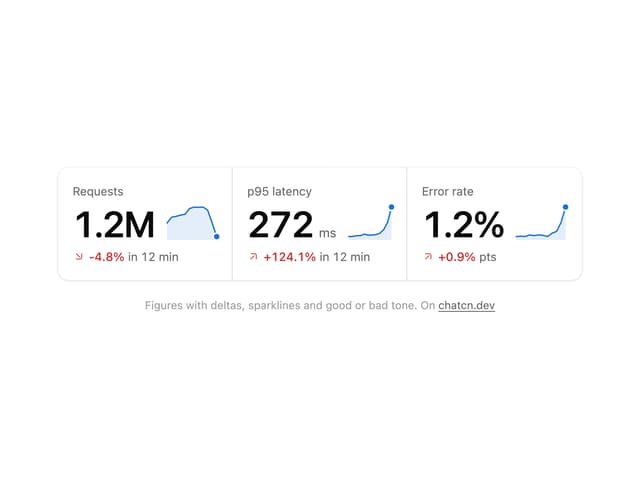
Stat Card
46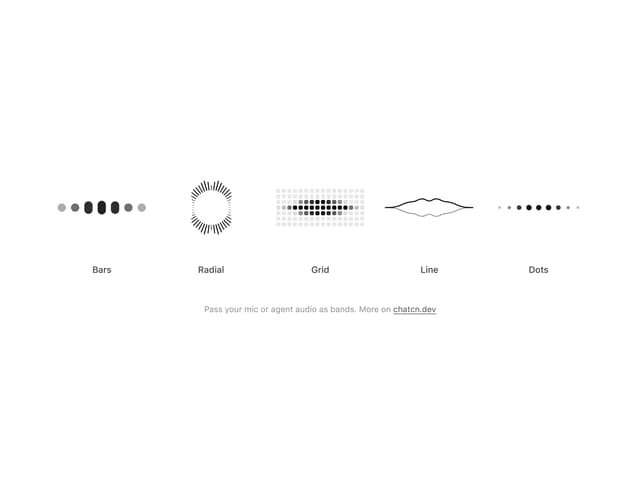
Audio Visualizer
32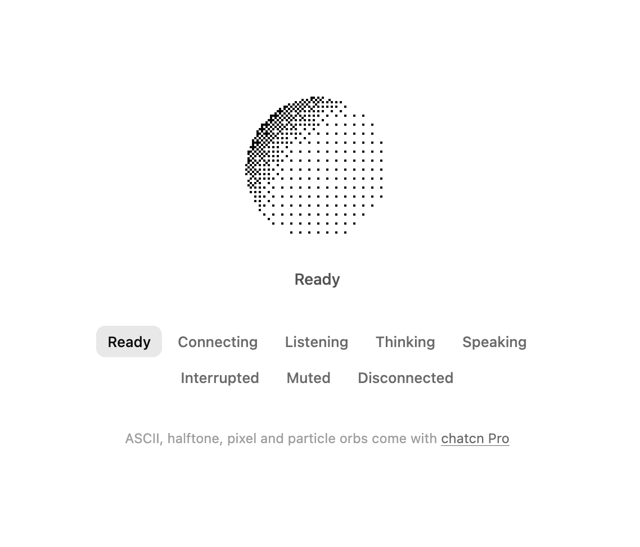
Dither Orb
24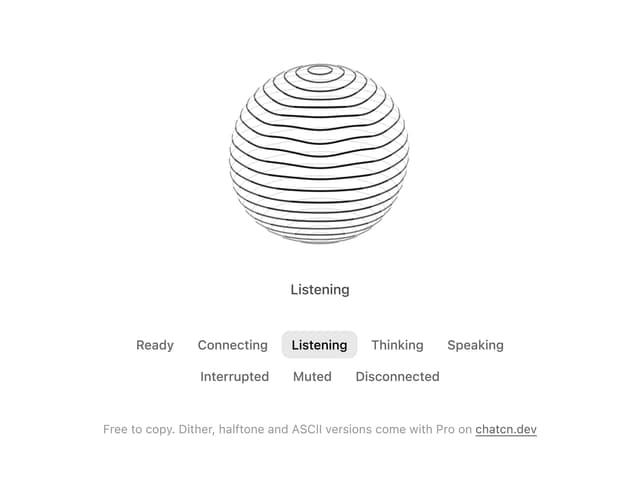
Voice Orb
20
Weather Card
18
Waveform
15
Ticker Card
15
Message Feedback
13